Welcome to EASYSTIFF support
EASYSTIFF measures in vivo skin biomechanics in real time: tension, firmness, and elasticity.
With a single contact, its sensors capture tissue resistance and display results instantly on your computer. From the stratum corneum to the hypodermis, EASYSTIFF provides fast, repeatable measurements to optimize cosmetic care and quantify pharmaceutical product performance.
Need help?
Find quick-start guides, measurement tutorials, parameter interpretation, and troubleshooting.
Notice-FR
IFU-ENG
Tutorial
Troubleshooting
Measurement curve validation
Not sure if your measurement is reliable? Use this quick guide to validate your curve.
What a “good” curve looks like
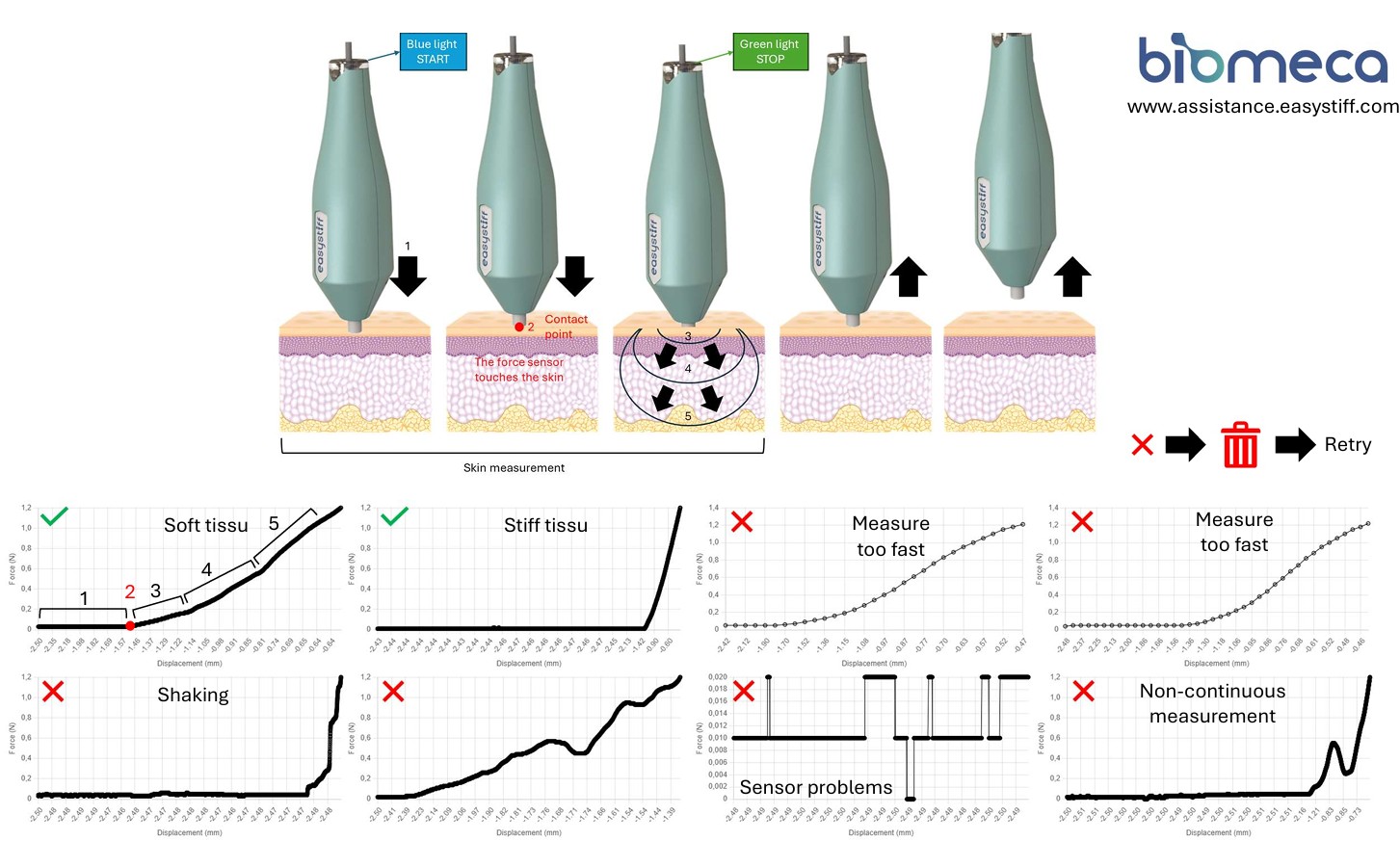
- Soft tissue: smooth, progressive increase.
- Stiff tissue: a sharp rise near the end can be normal.
- Measure too fast: curve looks “rushed” / distorted.
- Shaking: noisy curve or sudden jumps.
- Non-continuous measurement: breaks or discontinuities in the curve.
- Sensor problems: abnormal steps or signal interruptions.
Web-Interface
On your dashboard:
1/click on "Users"
2/click on "New users"
3/Complete the formular
4/click on "Create"
1/click on "Users"
2/click on "New users"
3/Complete the formular
4/click on "Create"
Remember to download and run the Easystiff driver to get it working. If the problem persists, please contact us.
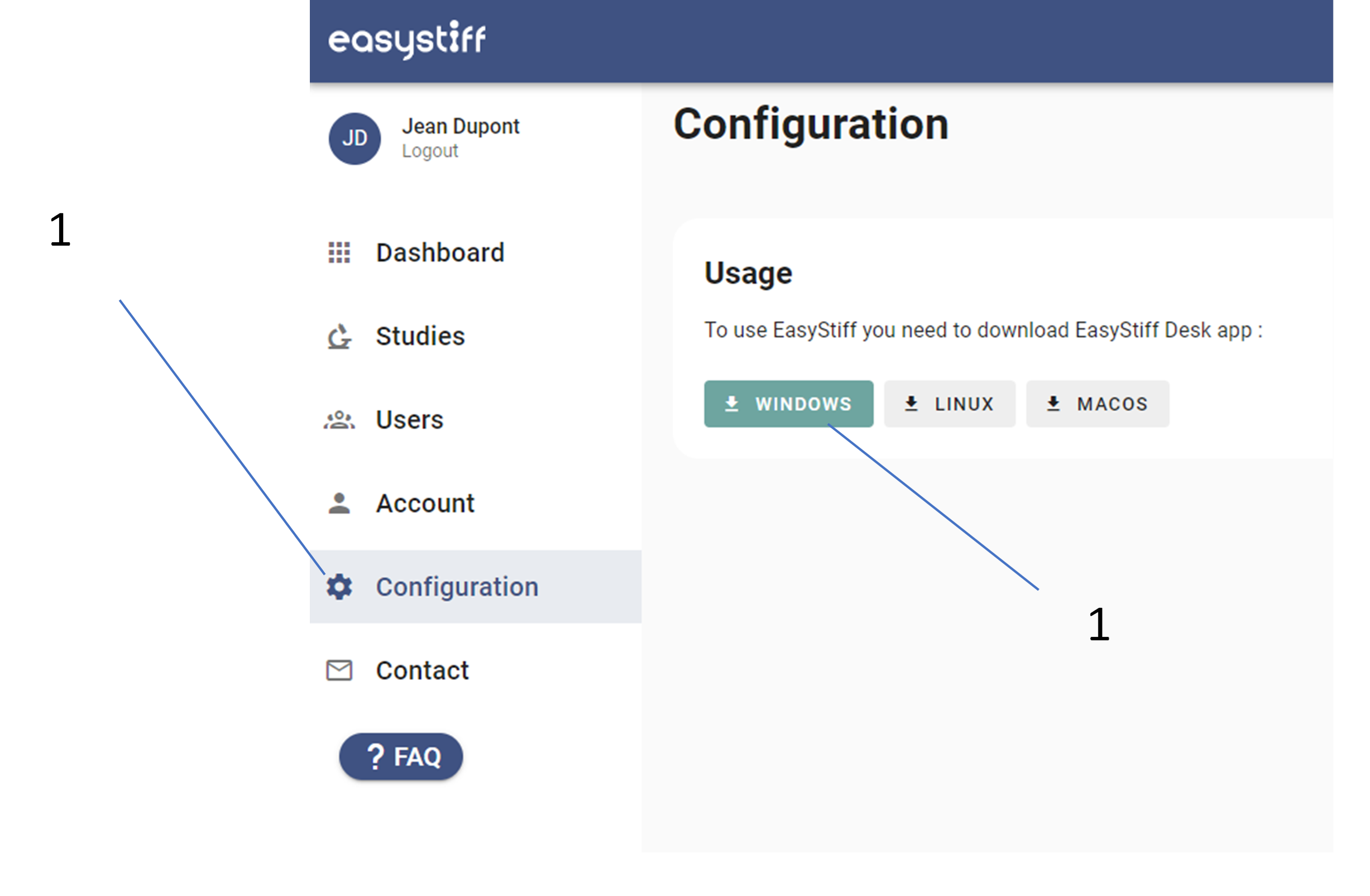
Check the connection status on your Dashboard.
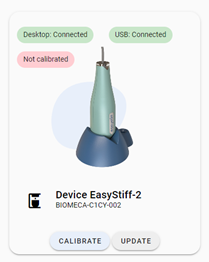
Check the connection status on your Dashboard.
You need to create your own areas of interest and name them, these areas will be saved for your next studies:
Step 1:
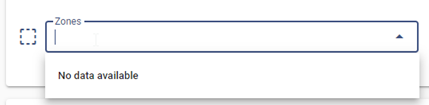
Step 2:
Enter for example "ABD" for right forearm:
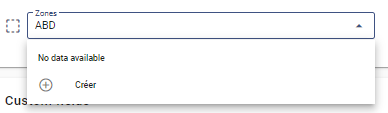
Step 3:
Then click on "+ Create".
At this moment the area is created
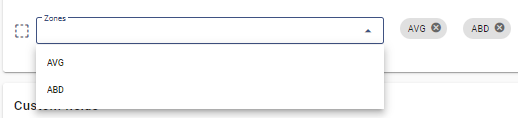
Step 1:
Step 2:
Enter for example "ABD" for right forearm:
Step 3:
Then click on "+ Create".
At this moment the area is created
- Number of measurements times: number of measurements needed for the study
- Study duration: the time needed to complete the study
On your dashboard:
1/ click on "Create study"

1/ click on "example sheet" to download the Excel template
2/ click on "Import" to upload the complete Excel datasheet
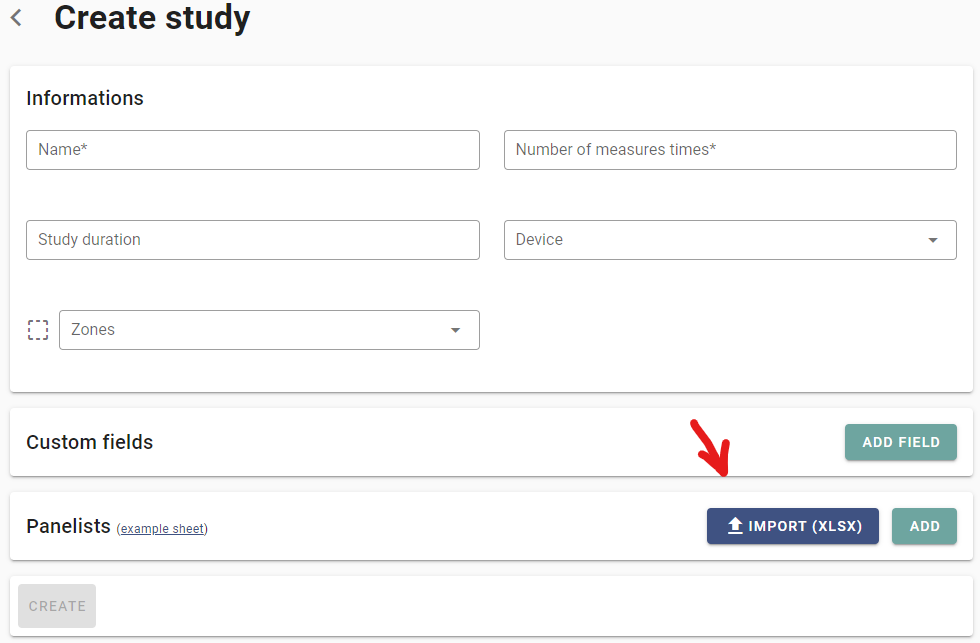
1/ click on "Create study"
1/ click on "example sheet" to download the Excel template
2/ click on "Import" to upload the complete Excel datasheet
On your dashboard:
1/ click on "studies"
2/ click on "In progress" or "Completed"
3/ click on "Resume study"
4/ click on "See results"
5/ click on the parameters: "Panelists", "Times and zones" etc.
6/Click on the cloud
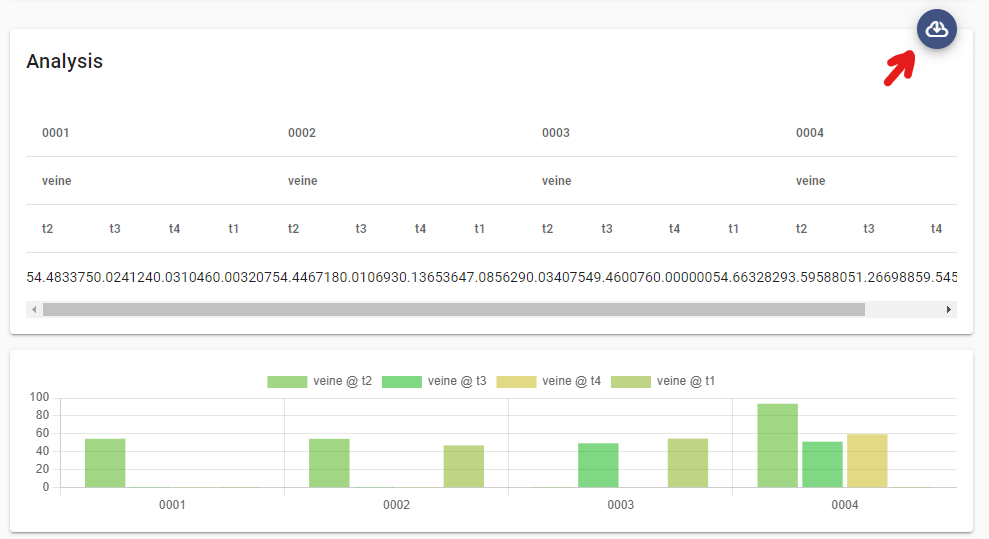
1/ click on "studies"
2/ click on "In progress" or "Completed"
3/ click on "Resume study"
4/ click on "See results"
5/ click on the parameters: "Panelists", "Times and zones" etc.
6/Click on the cloud
On your dashboard:
1/click on "studies"
2/click on "In progress" or "Completed"
3/Click to "download"
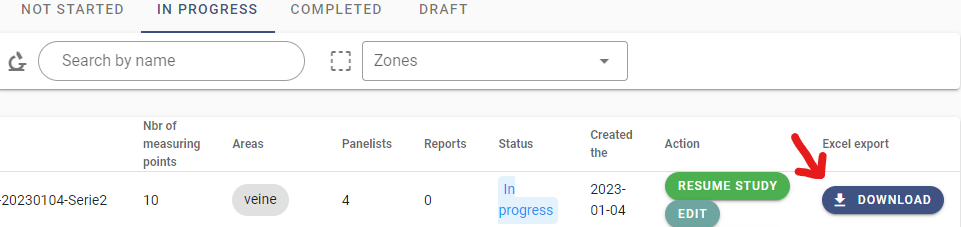
1/click on "studies"
2/click on "In progress" or "Completed"
3/Click to "download"
Yes, even very sensitive areas like the eye area
On your dashboard:
1/ click on "Configuration"
2/ click on "Windows" or "Linux" or "MacOS"
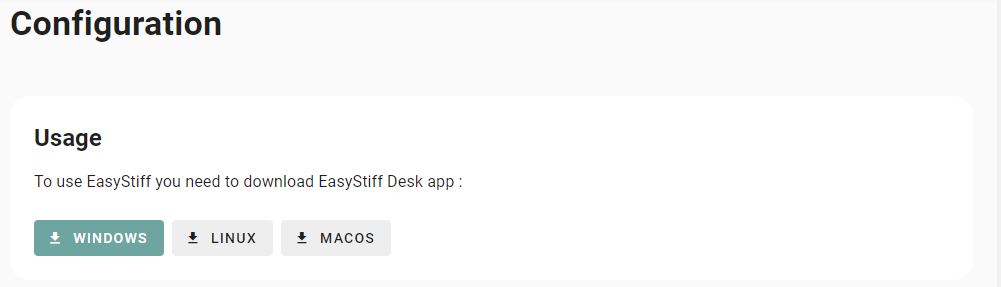
1/ click on "Configuration"
2/ click on "Windows" or "Linux" or "MacOS"
No but for soon 😉
No, but connection solutions can be proposed.
Easystiff device
Remember to download and run the Easystiff driver to get it working. If the problem persists, please contact us.
Check the connection status on your Dashboard.
Check the connection status on your Dashboard.
We recommend to clean the slider and the probe with alcohol 70° before putting it back on its docking station.
We recommend the following cleaning protocol:
Equipment:
- non-woven synthetic fibre wipe
- Alcohol 70°
Protocol:
1/ Hold the stylus
2/ Put carefully the wipe moistened with alcohol 70° on the slider and the probe
3/ Srub gently
4/ Dispose of the wipe
When a study involves several participants, we strongly recommend cleaning between each participant.
Equipment:
- non-woven synthetic fibre wipe
- Alcohol 70°
Protocol:
1/ Hold the stylus
2/ Put carefully the wipe moistened with alcohol 70° on the slider and the probe
3/ Srub gently
4/ Dispose of the wipe
When a study involves several participants, we strongly recommend cleaning between each participant.
Check the integrity of the sensors by performing a calibration and contact the technical service
Other
Put it back in its original packaging + box and contact us !
contac@easystiff.com
contac@easystiff.com
Not yet